Reduce no-shows: what actually moves the number
Three things move a no-show rate in a durable way: getting the appointment into the customer's own calendar instead of relying on their memory, making it easier to cancel properly than to just not turn up, and — for the slots where it's worth the trade-off — attaching a financial commitment at the time of booking. Things that feel like they should help but usually don't move much on their own: a strict no-show policy nobody reads until after they've broken it, and a single reminder sent so far in advance it's forgotten again by the day it mattered. This guide is about the difference between the two lists.
Why a no-show actually happens
"They forgot" is real, but it's only one of four distinct reasons a booked slot goes empty — and they don't respond to the same fix.
Genuine forgetting — no prompt arrived, or the one that did arrived so early it was forgotten again by the day itself. This is the case a well-timed reminder fixes.
Cancellation friction — the customer knew days ahead they couldn't make it, but cancelling meant a phone call during business hours and an awkward conversation. Doing nothing was, in the moment, the lower-effort option.
Low commitment — an appointment that cost nothing to make also costs nothing to blow off the moment something more appealing comes up. Free bookings no-show more.
Self-double-booking — booking is so frictionless that a customer books two options "just in case" and goes to whichever wins, leaving the other as a no-show with no ill intent at all.
The reminder that works is two reminders, not one
A reminder sent the moment someone books does one useful thing — it confirms the booking landed — and then stops being useful, because by the appointment itself it has long since scrolled past. The reminder that catches "the day snuck up on me" arrives close to the appointment, commonly about a day ahead: recent enough to still be near the top of the inbox.
Make cancelling easier than not showing up
A customer who can't make it takes whichever path costs them less effort: cancelling properly, or just not turning up. If cancelling means finding a phone number, calling during business hours and waiting, "not showing up" genuinely is the path of least resistance for a certain kind of customer. Make cancelling a link and the comparison flips.
When a deposit is worth the friction it adds
Money already spent changes the calculation. A customer who has paid something toward an appointment has a reason to show up or actively cancel — the money feels wasted either way if they simply don't appear. That's the case for taking payment at booking; the cost — some bookings that never happen — is in the FAQ below.
A practical order to try these in
1
Add a calendar invite to every confirmation
2
Send a second reminder close to the appointment
3
Turn cancelling into a link, not a phone call
4
Reserve payment-at-booking for the slots where it's worth it
5
Track no-shows by service and time slot, not as one number
How Olmira handles this
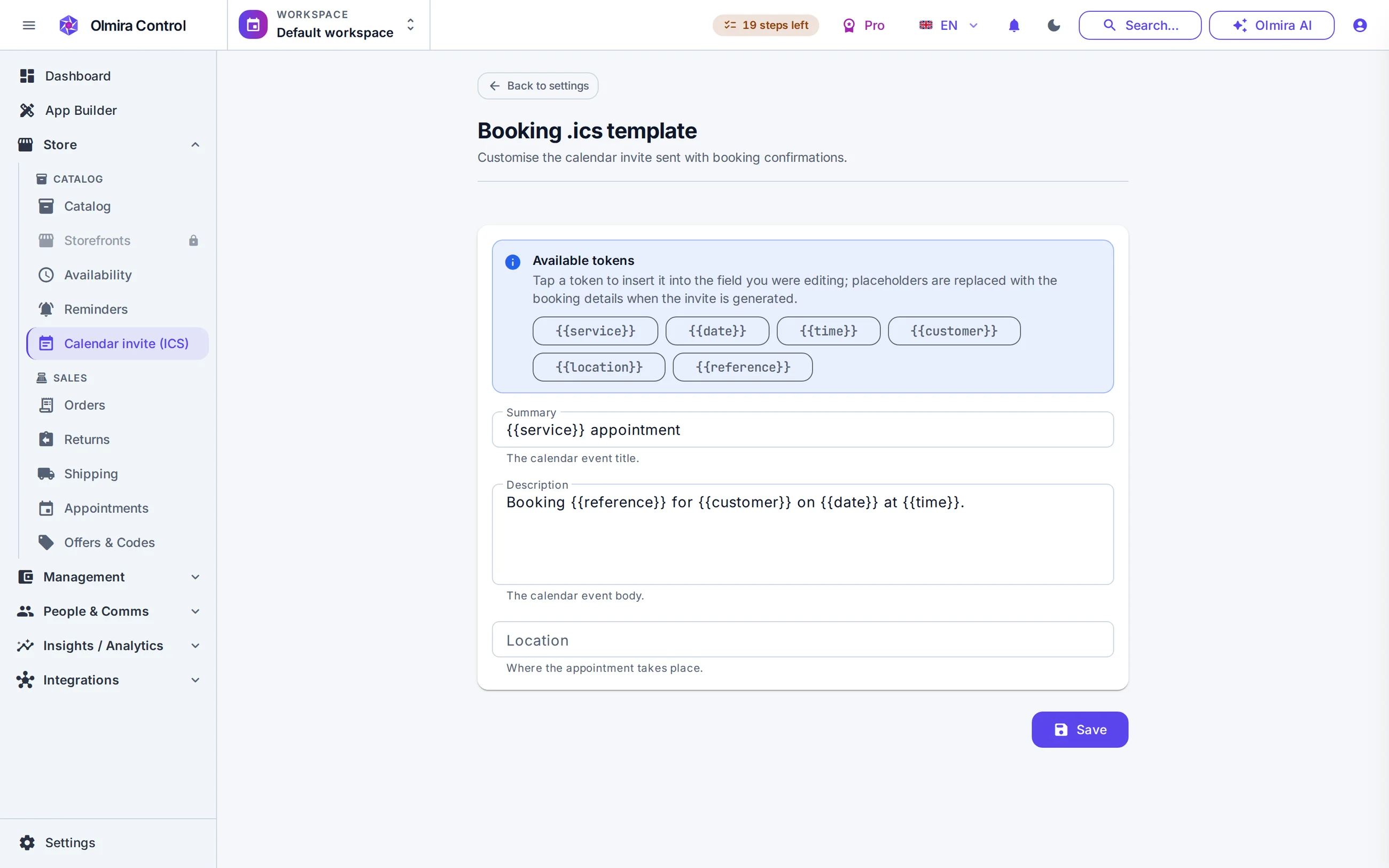
Two of the three levers above are already built in. Every confirmed booking sends a confirmation email with a calendar (
.ics) invite attached, and a second reminder — email only, no SMS today — fires automatically ahead of the appointment, 24 hours by default and adjustable. Cancelling or rescheduling can be a self-service link needing only the booking reference and email, no phone call required, if you choose to allow it. For the third lever, there's no separate deposit mechanism to configure: the price you set on a paid-at-booking service is the amount charged, so taking a deposit simply means pricing that booking at the amount you want committed upfront. See it set up on the bookings page, and how charging at the moment of booking actually works — including where the setting lives — on booking deposits.Related guides
Staff, rooms, equipment
A text message gets opened faster, but "opened" isn't the whole job — what actually matters is whether the appointment resurfaces on the day, and an email reminder paired with a calendar invite does most of that work: the invite doesn't need to be reopened to be seen, because it's sitting on the day itself in the customer's own calendar.
Not quite. A deposit is money taken at the time of booking, before anything's been delivered. A cancellation fee is charged after the fact, for a late cancellation or no-show — a different mechanism, and one that usually needs a card held on file rather than a charge already taken.
For a low-stakes appointment, sometimes — a customer who'd have happily booked (and shown up) for free may not clear the extra step of paying upfront. That's the real trade-off: payment-at-booking swaps some no-shows for some bookings that never happen, which is why it tends to suit high-value or high-demand slots better than a quick, low-cost one.
That's a judgment call specific to your business, not a mechanical one. A one-off and a pattern are different problems — treating a first mistake the same as a habit risks losing a customer who'd have been perfectly fine with a better-timed reminder next time.
For most businesses, the calendar invite on the confirmation. It's essentially free to add, it addresses the single most common cause — genuinely forgetting — and unlike a payment requirement, it doesn't cost you any bookings to try.